In brief: If you already own Red Dead Redemption on PS4, as a digital Xbox 360 backward-compatible copy, or on Nintendo Switch, you can move to the native PS5, Xbox Series X|S or Switch 2 version released on 2 December 2025 at no extra cost. PS4 owners claim the PS5 version from the game's PlayStation Store page; Xbox owners download the Series version from the Microsoft Store with the same account; Switch owners select the Switch 2 Edition from the game's main menu on a Switch 2. Physical Xbox 360 discs and PS4 discs used with a PS5 Digital Edition are not eligible. Checked 28 October 2026.
By Tulasiram Pemmadi · NextPlayIntel · Last updated 28 October 2026 (Asia/Calcutta).
The Red Dead Redemption free upgrade is one of the more generous Rockstar has offered, but the rules depend on which console you own and whether your copy is a disc or a download. This how-to walks through each route step by step, explains who does not qualify, and covers save transfers and the common problems players reported in the first weeks. For prices and which version to buy if you own nothing yet, see the Red Dead Redemption India buyer guide and the game hub.
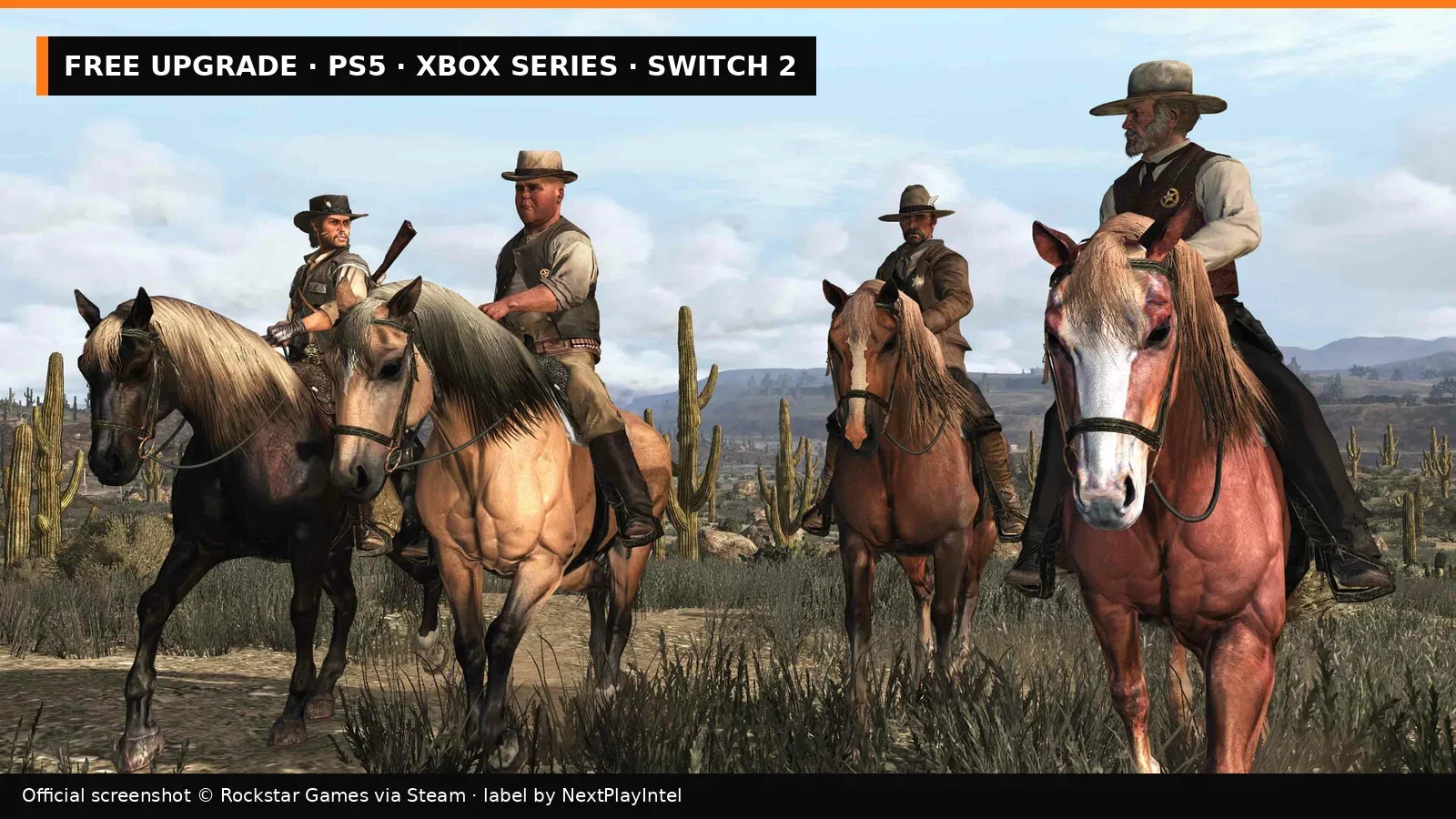
Official screenshot © Rockstar Games via Steam; label by NextPlayIntel.
What the 2025 versions add
On 2 December 2025 Rockstar released native versions of Red Dead Redemption and Undead Nightmare for PS5, Xbox Series X|S and Nintendo Switch 2, developed with Double Eleven and Cast Iron Games. Rockstar lists 60 frames per second, HDR and resolution up to 4K on supported hardware; on Switch 2 it also lists NVIDIA DLSS and mouse controls. Before this, PS5 and Xbox Series owners were playing the PS4 port or the Xbox 360 version through backward compatibility. Both stories and the Game of the Year bonus content are included; multiplayer is not, as every store listing states.
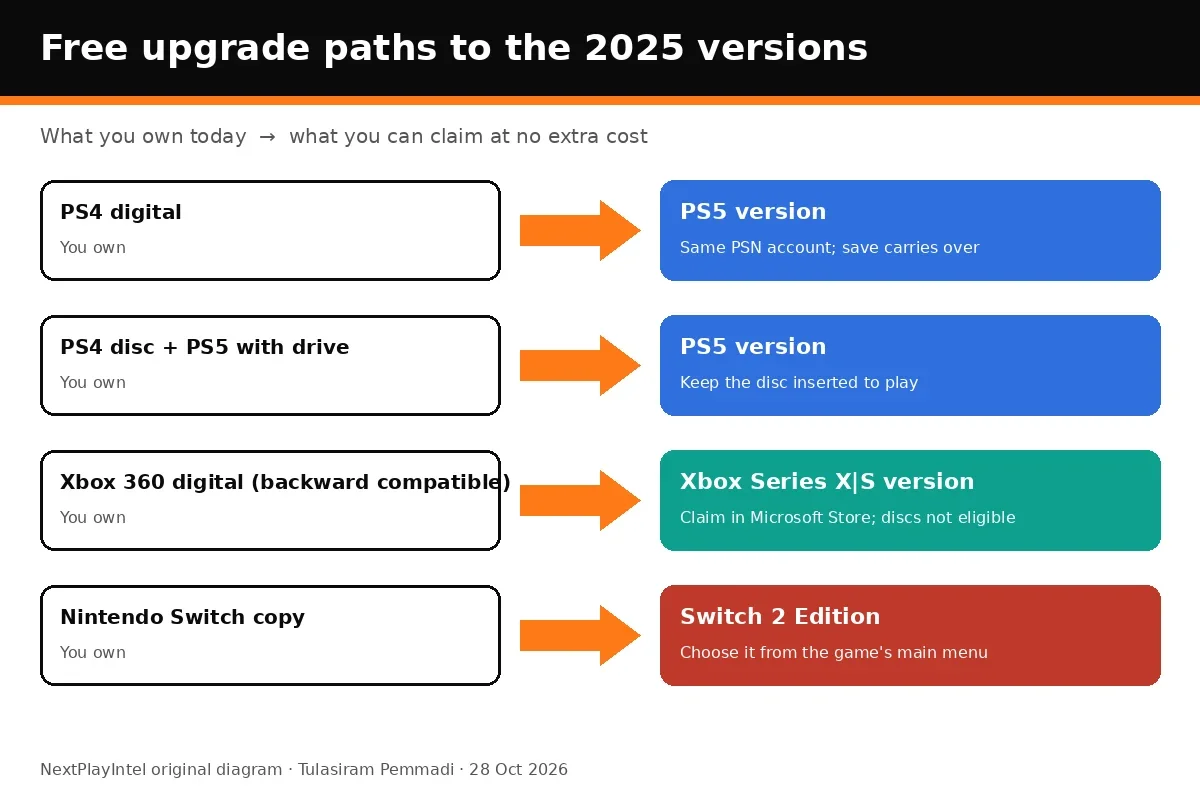
NextPlayIntel diagram based on PlayStation Store India, Xbox Store India and Rockstar Support.
Who qualifies — quick table
What you own | Free upgrade to | How to claim | Not eligible | |
|---|---|---|---|---|
PS4 digital copy | PS5 version | Game hub or PlayStation Store page on PS5 | PS4 copies redeemed only through PS Plus, unless stated | |
PS4 disc | PS5 version | Insert the disc in a PS5 with a disc drive | PS5 Digital Edition without a drive | |
Xbox 360 digital (backward compatible) copy | Xbox Series X | S version | Microsoft Store on Xbox, same account | Physical Xbox 360 discs |
Nintendo Switch copy (digital or cartridge) | Switch 2 Edition | "Nintendo Switch 2 Edition" option in the game's main menu | Playing on an original Switch |
The PlayStation Store India listing puts it plainly: "If you already own the PS4 version of this game, you can get the PS5 digital version at no extra cost and you do not need to purchase this product." The Xbox Store India listing says the product "entitles you to download both the digital Xbox backwards compatible version and the digital Xbox Series X|S version". Rockstar Support has separate upgrade articles for each platform, linked in our sources.
Upgrade from PS4 to PS5 (digital copy)
Turn on your PS5 and sign in with the same PlayStation account that bought the PS4 game.
Open the game's hub from your library, or search for Red Dead Redemption in PlayStation Store.
On the store page or game hub, select the upgrade offer. It should show the PS5 version as free rather than Rs 3,799.
Select Download. The PS5 version installs as a separate game; you can delete the PS4 version once you have moved your save.
Launch the PS5 version from the library. If the game hub shows both versions, press X on the game in Game Library, choose the … options and pick the PS5 version.
Sony's general rule, from its PS4-to-PS5 upgrade support page, is that PS4 games redeemed as a PlayStation Plus benefit are not eligible for a PS5 upgrade unless the offer says otherwise. Red Dead Redemption joined the PS Plus Game Catalog in December 2025 according to GameSpot, but a catalogue copy is a subscription licence, not an owned PS4 copy.
Upgrade from PS4 to PS5 (disc copy)
You need a PS5 with a disc drive: the standard model, or a Digital Edition or PS5 Pro with the detachable drive attached.
Insert the PS4 Red Dead Redemption disc and open its game hub.
Select the upgrade offer and download the PS5 version.
Keep the disc in the console every time you play. The PS5 version checks for the disc, exactly as PlayStation Store India warns.
The disc must match the country or region of your PlayStation account. An imported disc from another region may not show the upgrade offer.
Upgrade on Xbox (Xbox 360 backward-compatible copy)
On your Xbox Series X or Series S, sign in with the Microsoft account that owns the digital Xbox 360 version.
Open the Microsoft Store and search for Red Dead Redemption, or open the game from My games & apps → Full library → Owned games.
The store page should show the Series X|S version as owned or available to install at no cost. Select Install.
If it still shows a price, restart the console, sign out and back in, and check again later. In the first weeks after launch, Pure Xbox reported that the free upgrade appeared for some owners later than others before the rollout settled.
Physical Xbox 360 discs played through backward compatibility do not qualify for the free digital Series version; only digital owners do.
Upgrade from Switch to Switch 2
Put your Switch copy — cartridge or digital — into a Nintendo Switch 2.
Launch Red Dead Redemption and install any update offered.
From the main menu, select the Nintendo Switch 2 Edition option described by Rockstar Support and follow the prompts to download the upgrade.
Your Switch save carries over to the Switch 2 Edition, according to Rockstar.
Owners of an original Nintendo Switch can keep playing the 2023 version; the Switch 2 Edition needs Switch 2 hardware.
Do saves and progress carry over?
Route | Saves | Trophies / achievements | |
|---|---|---|---|
PS4 → PS5 | Carry over (Rockstar) | Check the PS5 trophy list after upgrading; we have not verified whether lists are shared | |
Xbox 360 BC → Series X | S | Follow the in-game prompts and Rockstar Support | Achievement list depends on version |
Switch → Switch 2 | Carry over (Rockstar) | Not applicable |
Rockstar's announcement said PS4 saves carry to PS5 and Switch saves carry to Switch 2. Because the Xbox upgrade moves from an Xbox 360 game to a new native version, we recommend reading Rockstar's Xbox upgrade article before relying on a save transfer. If you used cheats on the old version, remember that cheats disable autosave and achievements for that save.
Troubleshooting
The upgrade asks me to pay: confirm you are signed in with the account that bought the original, and on PlayStation that you are looking at the PS4 game's own hub. A copy from a PS Plus or GTA+ subscription is not a purchase.
"Disc required" on PS5: this is expected for disc upgrades. Insert the PS4 disc.
I own the Xbox 360 disc: discs are not eligible. On 28 October 2026 the Xbox Store India showed the standalone game as included with GTA+ and sold the RDR + RDR2 bundle at ₹3,079.60.
No Switch 2 Edition option: make sure the game is fully updated and you are playing on Switch 2 hardware; if it still does not appear, follow Rockstar Support's Switch 2 article.
I play on PC: there is no console-to-PC upgrade. PC is a separate purchase; see our PC install guide.
Should you upgrade at all?
If you play on PS5, Xbox Series X|S or Switch 2, yes: it is free, and the native version adds the 60 fps and HDR support listed by Rockstar. The PS4 and Switch versions stay installable if you need them on older hardware. Storage is modest, and you do not lose the original licence.
For general console steps, see our guides on installing games on PS5 and installing games on Xbox Series X|S. If you also own the sequel, our RDR2 editions guide explains how that game runs on current consoles.
How we checked
We read the PlayStation Store India and Xbox Store India product pages on 28 October 2026, Sony's PS4-to-PS5 upgrade support page, Rockstar Support's per-platform upgrade articles, Rockstar's Newswire announcement, and reporting from GameSpot and Pure Xbox. We did not perform every upgrade on our own hardware for this update. Store and support pages are authoritative if anything changes.
Frequently asked questions
Is the Red Dead Redemption PS5 upgrade free?
Yes for PS4 owners. PlayStation Store India says PS4 owners can get the PS5 digital version at no extra cost.
Can I upgrade a PS4 disc on a PS5 Digital Edition?
No. PlayStation Store India says disc owners who buy the disc-free PS5 Digital Edition cannot get the PS5 version at no extra cost. You need a disc drive and must keep the disc inserted.
Does the Xbox 360 disc qualify for the Series X|S upgrade?
No. Only the digital backward-compatible version qualifies, according to Rockstar Support.
How do I upgrade from Switch to Switch 2?
On a Switch 2, launch the game and choose the Nintendo Switch 2 Edition option from the main menu, as described by Rockstar Support.
Do saves carry over?
Rockstar says PS4 saves can be used on PS5 and Switch saves carry over to Switch 2.
Sources & verification
Sources last verified on . This article covers published information, not hands-on testing.
- PlayStation Store India: Red Dead Redemption (PS4 & PS5)
- Xbox Store India: Red Dead Redemption
- PlayStation Support: how to upgrade an eligible PS4 game to the PS5 version
- Rockstar Support: upgrade Red Dead Redemption from PS4 to PS5
- Rockstar Support: upgrade Red Dead Redemption for Xbox 360 to Xbox Series X|S
- Rockstar Support: Red Dead Redemption
- Rockstar Newswire: Red Dead Redemption coming to Netflix, iOS, Android, PS5, Xbox Series and Switch 2
- GameSpot: Red Dead Redemption confirmed for Switch 2, PS5, Xbox Series X|S and mobile (13 Nov 2025)
- Pure Xbox: more Xbox players see success with the free Red Dead Redemption upgrade
Editorial & update notes
Published 28 Oct 2026 with India prices checked that day on Steam, PlayStation Store and Xbox Store India.
Related devices and next steps
Find a fix by platform · Check GTA platforms and editions
- PlayStation 4 hardware guide
- PlayStation 5 hardware guide
- Nintendo Switch hardware guide
- Nintendo Switch 2 hardware guide
- Xbox Series X hardware guide
- Xbox Series S hardware guide
- Xbox One hardware guide
- Red Dead Redemption game hub
- How to install Red Dead Redemption on PC (Steam, Epic or Rockstar Launcher)
- How to find and install purchased game DLC