Quick route
First, find download code, then follow the steps below in order. If the result differs from what is described, use the symptom-specific troubleshooting before repeating a purchase, deleting data or starting another download.
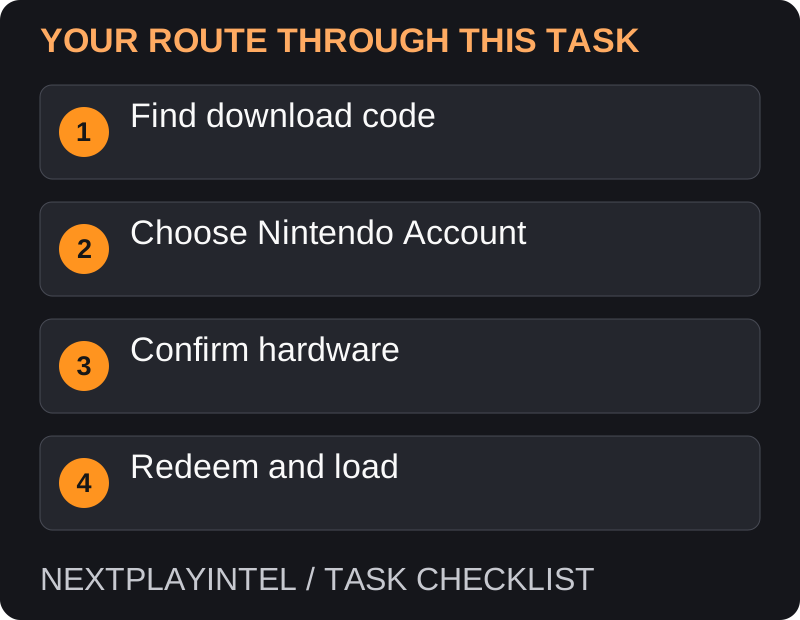
Identify the code and account
Check that the card or receipt is a Nintendo game download, not merely an eShop balance card or membership. Read the product name and hardware label. A code sold for Switch 2 content must not be assumed to work as an original Switch game.
Use a Nintendo Account with access to the appropriate eShop region. Keep the receipt because the retailer may need it if the card was not activated correctly.
Redeem on the console
Connect the console to the internet and open Nintendo eShop from HOME.
Choose the user linked to the Nintendo Account that should receive the content.
Select Redeem Code and enter the 16-character download code. Use the download code, not a retailer control number printed alongside it.
Check the displayed product and confirm redemption. Watch for its download icon on HOME.
Allow the download to finish, then open the title with the intended user. If virtual game card loading is required, follow the console’s prompts.
Interpret the result
If the account balance increases, you redeemed funds rather than a game. If the item is an upgrade pack, the required base game must also be available. If the product is a subscription, look for its membership benefits rather than a new standalone game icon.
Troubleshoot without buying twice
An unavailable character on the code keyboard can mean you are reading the wrong number. Compare the download-code field on the receipt before trying again.
For a message about content accessible only on Switch 2, check Nintendo’s code-type guidance linked below. Use the appropriate hardware rather than assuming a general redemption failure.
If the code was accepted but nothing is playable, check the receiving account and download progress. An ownership confirmation does not mean installation has finished.
If the code was used, retain the error and ask the purchaser whether another account redeemed it. For a newly purchased unused card, contact the retailer with proof of purchase.
The keyboard or product does not match the code
Look for the field explicitly labelled as the download code. Retail receipts can also show a control number and order number; entering those in the eShop is not a useful test. Compare the characters before repeatedly retrying. If the retailer delivered the wrong type of code, preserve the listing and receipt for the seller.
A Switch 2 upgrade pack is not the same product as the complete game. Check the confirmation for the required base game and hardware. A code being accepted does not remove those requirements.
Redeemed, but the title is not ready to play
Check HOME for a download in progress, then confirm which Nintendo Account received the entitlement. On a shared console, different local users can be linked to different accounts. The same nickname on two devices is not proof that they use the same Nintendo Account.
For digital software, check its Virtual Game Card and load it using the supported flow. If the title is already installed but a user cannot open it, investigate the licence arrangement rather than assuming the game needs another download.
A region or account error remains
Compare the code’s intended market with the account’s eShop country. Keep the full error wording: a region restriction, previously used code and hardware-only restriction are different cases. Do not assume that an imported console changes the market of the account signed into it.
Give Nintendo or the retailer the product name, receipt, date and private error image. If the code is accepted, retain that confirmation; if it is rejected, avoid claiming it was redeemed. This distinction helps support trace the entitlement correctly.
Final check
Open the game and verify the expected product. Keep a private record of the account used, especially on a shared family console, so future redownloads do not depend on remembering who redeemed the card.
Official help for this task
Nintendo: redeem a download code
Use the official page for the current interface wording and any account-specific support. Keep the error, product edition and the step that failed together when asking for help.
Sources & verification
Sources last verified on . This article covers published information, not hands-on testing.
Editorial & update notes
Reviewed 25 October 2026: detailed troubleshooting and official help links, with a distinct featured illustration. Real screenshots are identified and credited where reuse rights were verified; remaining task diagrams are original instructional graphics. No hands-on testing is claimed.
Related devices and next steps
- Nintendo Switch hardware guide
- Nintendo Switch – OLED Model hardware guide
- Nintendo Switch Lite hardware guide
- Nintendo Switch 2 hardware guide
- GTA Trilogy – Definitive Edition game hub
- Why does my Switch download keep pausing?
- How to claim the game included with your Xbox
- How to redeem a PS5 game code and download the game
- How to redownload Switch games and use virtual game cards