
Quick route
First, check specific offer, then follow the steps below in order. If the result differs from what is described, use the symptom-specific troubleshooting before repeating a purchase, deleting data or starting another download.
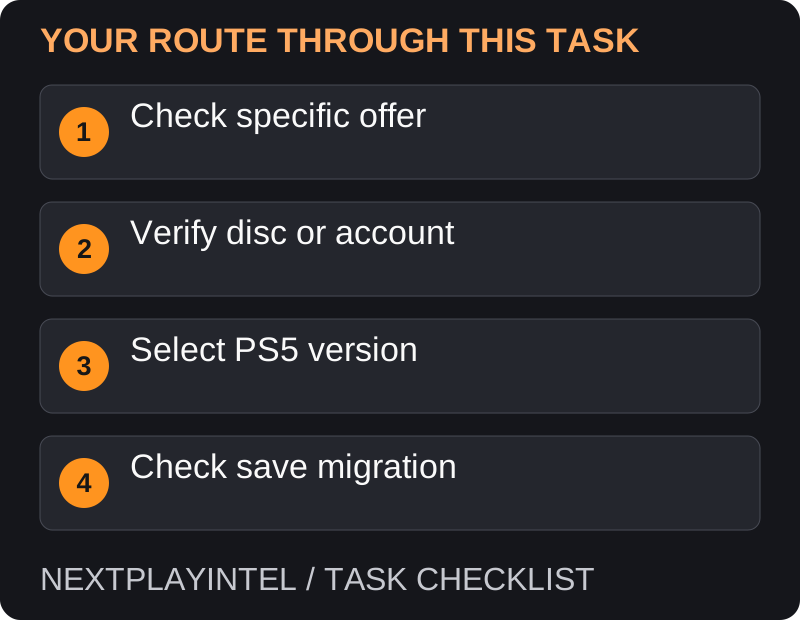
Check eligibility before downloading
A PS4 game running on PS5 through backward compatibility is not necessarily the native PS5 edition. Check the publisher’s upgrade offer for your exact purchase. Some upgrades cost money or have eligibility limits.
Separate three questions: do you own the base game, can you obtain the PS5 edition, and can your progress transfer? An answer to one does not automatically answer the others.
Upgrade a supported disc copy
Use a PS5 with a compatible disc drive and insert the eligible PS4 disc. Sign in and open the game hub.
Find the upgrade offer, review its terms and select the download or purchase action.
Install the PS5 version. Keep the required PS4 disc for later launches; the upgrade does not necessarily replace disc verification.
Upgrade a supported digital copy
Sign in with the purchasing account and find the PS5 product page.
Review the offered upgrade and price before accepting it. A Plus redemption may have different eligibility from a purchased copy.
Download the PS5 version. In Game Library, use the game’s more-options menu to choose between available versions.
When the offer is absent
Compare the account region, disc region and exact product. A similarly named deluxe bundle may not be the upgrade entry you need. Do not buy another edition merely because the first search result shows a price.
Use the publisher’s specific upgrade instructions if they differ from the general platform workflow. For GTA V, see our linked game hub and the dedicated GTA upgrade guide.
Check before removing the old version
Launch the PS5 edition and verify the version you selected.
Check whether DLC and saves require separate migration or downloads. Do not assume that an old save opens automatically in a new edition.
Preserve the old installation and saves until you confirm the publisher’s migration result. Only then consider removing duplicate software to reclaim storage.
Backward compatibility is not an edition upgrade
A PS4 game can run on PS5 without becoming a native PS5 product. Before downloading another copy, read the publisher’s offer for your exact edition. It may have a price, deadline or purchase condition. A general PS5 compatibility statement does not establish a free upgrade.
In the library’s version menu, inspect whether the selected item is marked PS4. Launch the intended version and check its own content. Two tiles with similar art can refer to different generations.
Disc upgrade offer missing
Confirm that the eligible PS4 disc is inserted in a compatible drive and compare its region with the account and offer. A digital-only console cannot verify a disc just because the game is already installed on another device.
Keep the disc after a qualifying upgrade. Do not sell it immediately on the assumption that downloading a PS5 edition converted the entitlement into an independent digital purchase. Follow the offer’s ongoing disc requirement.
DLC or saved progress did not appear
Treat the upgrade, add-ons and save conversion as separate checks. Consult the game publisher before removing the PS4 version; it may be needed for that title’s save-export workflow. A general console data transfer does not prove a save works in a different edition.
If support is needed, state the original purchase type, region, source edition, intended PS5 edition and exact missing item. That is more actionable than saying the upgrade failed when the new software actually launches.
What this does not promise
This guide does not establish upgrade eligibility for every PS4 title. The current publisher offer and the store confirmation are the deciding evidence for a particular game.
Official help for this task
PlayStation: upgrade eligible PS4 games
Use the official page for the current interface wording and any account-specific support. Keep the error, product edition and the step that failed together when asking for help.
Sources & verification
Sources last verified on . This article covers published information, not hands-on testing.
Editorial & update notes
Reviewed 25 October 2026: detailed troubleshooting and official help links, with a distinct featured illustration. Real screenshots are identified and credited where reuse rights were verified; remaining task diagrams are original instructional graphics. No hands-on testing is claimed.