Choose the right starting point
Identify whether redemption failed before confirmation or succeeded but left content missing. Keep the full code private.
Start with the message, not another purchase
Keep the voucher and receipt. Write down the exact error, whether you are using PS5, PS4, the app or the website, and whether the problem happened before or after confirmation. Do not post the full code publicly. A code that cannot be redeemed and content missing after redemption need different checks.
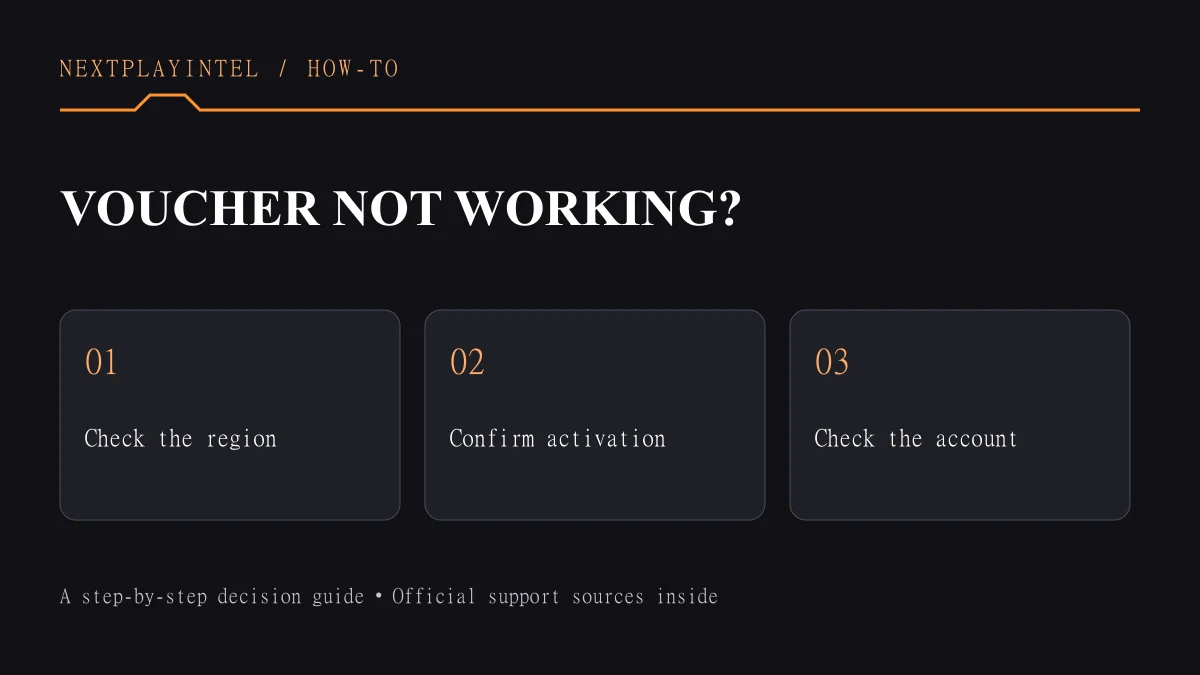
Our recommended workflow is to identify the code, confirm the intended account, then follow the error branch below. Buying a second code before understanding the first error can leave you with the same problem twice.
1. Identify the voucher and account
PlayStation Store vouchers use 12 digits; 10-digit discount codes belong in the shopping cart’s discount field. Check the printed country or region and any expiry date. The voucher region must match the account’s Store region, and an existing account’s region cannot be changed.
Confirm you are signed into the account that should own the content. Funds and content cannot be transferred between accounts after redemption. For family accounts, consult Sony’s child-account instructions rather than assuming the adult redemption route applies.
2. Use the correct redemption route
On PS5, open PlayStation Store, press triangle, then choose More (…) > Redeem Code. On PS4, open Store and select Redeem Codes in the sidebar. On the web, use the Store profile menu > Redeem Code. Review the account and content before confirming.
A wallet credit or in-game consumable may not produce a game download. After successful redemption, check the kind of item the voucher actually grants. The linked Sony redemption guide explains the differences between games, add-ons, currency and season passes.
3. Match the error to the next action
Not activated: check whether the card requires activation at the register and ask the retailer to verify it. Damaged receipt code: ask the retailer to recover it. Other damaged cards: contact PlayStation Support with purchase details; it may request the receipt and photos.
Already redeemed: inspect transaction history on the relevant accounts and check the library. If an add-on or currency is missing, relaunch the game and check the publisher’s availability date. For service problems, consult PlayStation Status before retrying.
Record the outcome of each check. If the error changes, preserve both messages and the order they appeared in. This is more useful for the retailer or support team than a screenshot of only the final attempt.
4. Prepare a private support request
Explain what you bought, where and when, the account region, the code type, the exact error and the steps already tried. Send proof only through the official support route. Keep passwords, recovery codes and payment credentials out of the message.
Your aim is to establish whether the remaining issue concerns the retailer’s activation, the account’s entitlement or delivery of the purchased item. Do not promise yourself that changing a device setting will solve all three. If support requests more evidence, retain the original receipt and avoid altering the voucher.
Success means the intended account received the correct entitlement, not merely that the error disappeared. Check the purchased content or wallet balance before discarding any packaging. If redemption succeeded but installation fails, use the download troubleshooting guide instead of redeeming again.
Check the result before you stop
After acceptance, check the receiving account’s entitlement. For a rejection, retain the exact error and receipt; do not buy another copy merely to diagnose the first.
Sources & verification
Sources last verified on . This article covers published information, not hands-on testing.
Editorial & update notes
Updated 25 October 2026: clarified starting points and outcome checks, removed repeated advice where present and improved navigation. Existing image credits and evidence limitations remain. No hands-on test is claimed.
Related devices and next steps
Find a fix by platform · Check GTA platforms and editions
- PlayStation 4 hardware guide
- PlayStation 5 hardware guide
- PlayStation 5 Pro hardware guide
- GTA V game hub
- GTA Trilogy – Definitive Edition game hub
- PS5 download stuck or queued? Check these fixes in order
- How to install games on PS5: discs and downloads
- Can you play PS5 games from a USB drive?
- How to find and install purchased game DLC