
Quick route
First, identify plus benefit, then follow the steps below in order. If the result differs from what is described, use the symptom-specific troubleshooting before repeating a purchase, deleting data or starting another download.
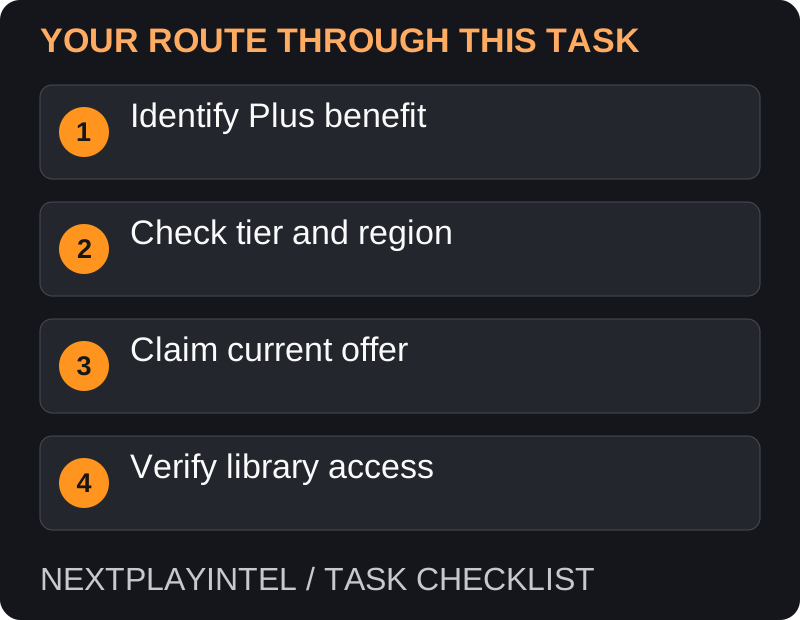
Identify which Plus benefit you are using
Monthly games, game-catalogue access and time-limited trials are different benefits. Look at the label and membership requirement on the exact product instead of treating every Plus-branded tile as the same type of claim.
Check that you are signed into the subscribing account and that the offer is currently available for your region and tier. This guide does not list a fixed monthly lineup because offers change.
Add an eligible monthly game
Open the PlayStation Plus area on your console, app or the official store and locate the current monthly games.
Open the desired game and confirm the included version and membership condition.
Use the displayed add-to-library or included-game action. Review any checkout carefully; stop if it requests an unexpected paid purchase.
Confirm that the game is associated with your account. Download immediately or return to your library later.
Find a previous claim
Use the same account that added the monthly game. Search its library for the title and correct version.
Select Download if you want it installed. Check the console’s download queue separately from the library entry.
If it is locked, check your membership and the exact type of benefit before troubleshooting licences.
Understand continued access
Monthly-game access is tied to membership conditions. A catalogue download is also not a permanent purchase: check the current catalogue and tier before assuming a title remains playable.
Sharing eligible benefits on a supported console does not make every local user the purchaser. Keep track of the account that originally claimed the title so later recovery is straightforward.
Monthly game, catalogue title or trial?
Write down which benefit supplied access. A monthly claim made during its offer window is different from borrowing a title while it remains in a catalogue. A trial can end even though the game is still installed. These distinctions explain many cases where an old download later shows a lock.
On PS5, the current support route is PlayStation Plus > Benefits > Monthly Games. Review the product and included version there. Do not infer a monthly claim from the game simply appearing elsewhere in a Plus promotion.
The offer asks for payment
Check the subscribing account, membership tier and exact edition. A deluxe edition or add-on can remain paid even when another version is included. Inspect the confirmation screen and stop if it is a purchase you did not intend.
If a past monthly offer was never claimed, a current membership does not by itself prove you added it during that window. Look for the original library or transaction evidence before treating this as a technical fault.
A previously played game is locked
Check membership status and the source of access first. If it was a catalogue title, confirm its current availability. If another account shared it, check that account’s permitted sharing setup. Restoring licences is appropriate only after establishing that the entitlement should still be valid.
Keep the game’s full name, version, approximate claim date and benefit type when contacting support. Do not rely on a screenshot of an installed tile as proof of a completed monthly claim; installation and entitlement are separate.
Avoid the common mistakes
Do not assume viewing a game page adds it to your library; confirm that the claim completed.
Do not confuse a trial with the full game. Read the duration and edition information before planning a long download.
Do not buy a second copy to fix a missing claim until you have checked the original account and confirmation.
If a past title was never claimed during its offer, a historical article cannot add that entitlement now. Check the current legitimate purchase or subscription options.
Official help for this task
PlayStation: access PlayStation Plus games
Use the official page for the current interface wording and any account-specific support. Keep the error, product edition and the step that failed together when asking for help.
Sources & verification
Sources last verified on . This article covers published information, not hands-on testing.
Editorial & update notes
Reviewed 25 October 2026: detailed troubleshooting and official help links, with a distinct featured illustration. Real screenshots are identified and credited where reuse rights were verified; remaining task diagrams are original instructional graphics. No hands-on testing is claimed.