

PS5 error code
PS5 CE-113524-6: Unable to Connect — Meaning and Fixes
Try this first: check the PlayStation status page; if services are up, run Settings > Network > Connection Status > Test Internet Connection, then turn the modem/router off for 5 minutes.
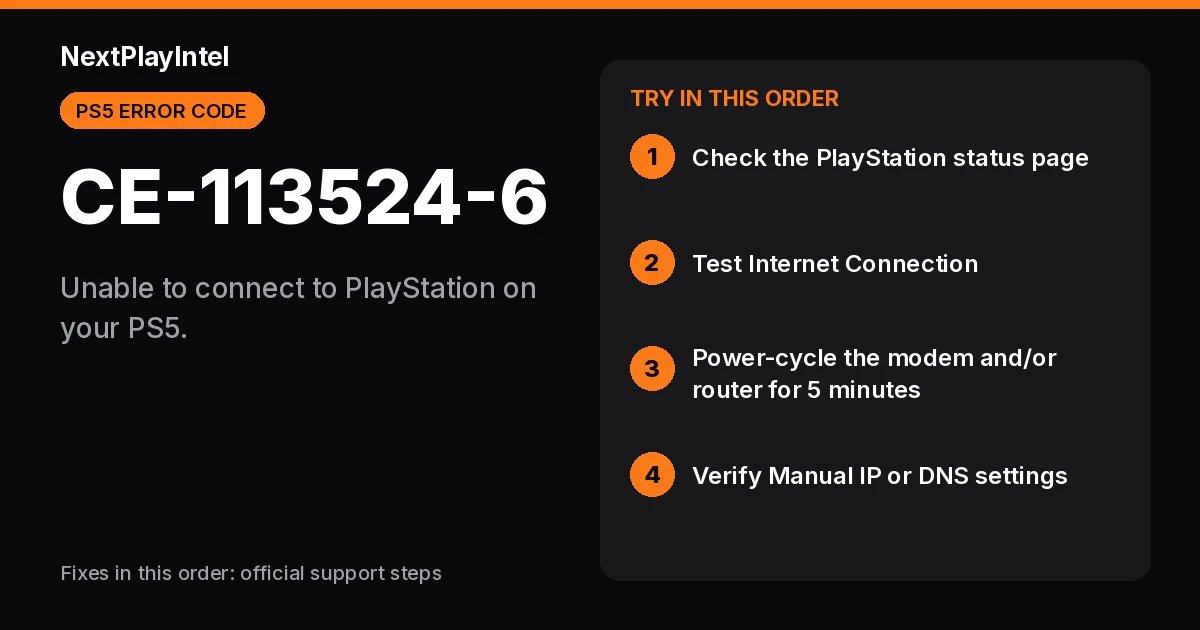
What CE-113524-6 means
PlayStation Support says: “Unable to connect to PlayStation® on your PlayStation®5 console.” (official page)
Sony describes a failure to connect to PlayStation Network — not a game crash and not a ban. The official checklist (checked 6 November 2026) is: status page → Test Internet Connection → modem/router off for 5 minutes → verify Manual IP/DNS values if you set them → ask your ISP about maintenance → if it remains, Sony says it is likely temporary. For timeout wording see NW-102636-8; do not treat that page as a rewrite of this code.
Match what you see
Where CE-113524-6 appears tells you where to start. Find the row closest to your situation, then jump to that step.
| What you see | Most likely cause | Start at |
|---|---|---|
| Status page shows a problem; friends also offline | PSN outage or maintenance | Step 1 — wait it out |
| Status green; Test Internet Connection fails Internet | Home modem/router or ISP line | Steps 2–3, then Step 5 |
| Internet OK on the test; PSN line fails | PSN path or DNS resolution | Step 1 again, then Step 4 |
| You previously set Manual IP or Manual DNS | Wrong DNS/IP values | Step 4 |
| Error after a power cut or ISP maintenance SMS | Router not fully settled / ISP work | Step 3 (full 5 minutes), Step 5 |
| Fails on Wi-Fi and Ethernet while status stays green for hours | Temporary PSN or ISP path issue | Step 6, then ISP / PlayStation Support |
Likely causes
- PlayStation Network failure or maintenance (Sony's first check).
- The PS5 is not online — failed or stale Test Internet Connection.
- A modem or router that needs a full 5-minute power cycle.
- Incorrect Manual IP Address Settings or DNS Settings on the console.
- ISP maintenance or line problems.
- A short-lived server or path issue Sony calls temporary.
How to fix CE-113524-6, most likely fix first
Sony's CE-113524-6 page (checked 6 November 2026) lists: status page, Test Internet Connection, modem/router off for 5 minutes, verify Manual IP/DNS, contact ISP, then try later if temporary. We keep that official order and only expand the menu paths.
- Check the PlayStation status page
Open the PlayStation status page. If Account management, Gaming and social, PlayStation Store, or another service you need is down or under maintenance, wait — local network changes will not clear CE-113524-6 until Sony restores service. - Test Internet Connection
Go to Settings > Network > Connection Status > Test Internet Connection. If it fails, reconnect under Settings > Network > Settings > Set Up Internet Connection, then test again. Note whether Internet, PSN and NAT succeed. - Power-cycle the modem and/or router for 5 minutes
Turn the modem and/or router off, wait a full 5 minutes, turn them back on, wait for stable lights, then retest the PS5 connection. Sony's CE-113524-6 page specifies 5 minutes. - Verify Manual IP or DNS settings
Only if you chose Manual under IP Address Settings or DNS Settings: open Set Up Internet Connection > Advanced Settings and confirm Primary and Secondary DNS (and IP values) match what your ISP or network admin provided, or switch back to Automatic. Sony documents these fields in internet connection / advanced network settings. The CE-113524-6 page does not prescribe a public DNS such as 8.8.8.8. - Contact your ISP
Ask whether maintenance, an outage or a DNS/routing problem affects your line. Share the time CE-113524-6 appeared and your Test Internet Connection result. - Try again later if it is still failing
Sony's closing note: after the steps above, the issue is likely temporary — try again later. Do not factory-reset the PS5 based on unofficial advice; Sony does not list initialize for this code.
| Code | What Sony says | Main fix |
|---|---|---|
| CE-113524-6 | Unable to connect to PlayStation. | Status → test connection → 5‑min router → manual DNS → ISP |
| NW-102636-8 | The connection to PlayStation has timed out. | Status, router off, then that page's checklist |
| CE-105799-1 | Unable to connect to the server. | Wired, ports, public DNS on that official page |
Fixes owners report
From public threads we read. These are individual reports, not official advice, and NextPlayIntel did not test them.
- In a 2020–2025 thread, owners reported several fixes. Turning Connect to the Internet off and on in Settings > Network brought the connection back quickly, and restarting the router worked only for a few minutes. Disabling IPv6 on the router fixed it for good for one owner, and switching to a wired connection helped another. (r/PS5, 2020–2025)
- In the same thread, a 2022 owner fixed it by changing the PS5's Wi-Fi frequency band from automatic to 5GHz. A 2025 owner said rebuilding the database in Safe Mode was the fix that lasted. (r/PS5, 2022–2025)
- One owner who saw the error even after a factory reset found a faulty Ethernet cable. Moving to Wi-Fi and then replacing the cable fixed it. A June 2026 reply in another thread, after a router change, suggests forgetting the saved network and setting it up again. (r/PS5, November 2020)
For players in India
- Sony's step 5 is to ask your ISP. Match the CE-113524-6 timestamp to any fibre/broadband maintenance SMS or app alert using IST before changing console DNS.
- After a power cut the gateway may already have rebooted once. Sony still wants a deliberate 5 minutes off for this code; a quick flicker does not count.
- If an installer left Manual DNS on the PS5, confirm values with your ISP. Sony does not publish India-specific DNS numbers on the CE-113524-6 page — do not guess.
- If a mobile hotspot reaches PSN while home broadband fails and status is green, tell the ISP the home line or DNS path is the suspect — that supports Sony's contact-your-ISP step.
When to contact support
Contact your ISP when the connection test fails on home broadband, a hotspot works, or maintenance overlaps the error. Contact PlayStation Support when status stays green, the connection test succeeds, Manual DNS/IP were verified or set to Automatic, the router had a full 5-minute cycle, and CE-113524-6 still returns.
Have this ready before you contact support:
- Exact code CE-113524-6 and the time it appeared (include IST if you are in India)
- Result of Settings > Network > Connection Status > Test Internet Connection (Internet, PSN, NAT type)
- Whether IP Address Settings and DNS Settings are Automatic or Manual
- Wi-Fi or Ethernet
- Which official steps on this page you already finished
CE-113524-6 FAQ
What does PS5 error CE-113524-6 mean?
Sony says: unable to connect to PlayStation on your PlayStation 5 console.
Is CE-113524-6 a ban?
No. Sony describes a connect failure. Multi-day console access blocks use other codes such as WS-116332-6.
How is CE-113524-6 different from NW-102636-8?
CE-113524-6 is unable to connect. NW-102636-8 is a timeout. Both start with status and the router; CE-113524-6 explicitly adds a connection test and a Manual DNS/IP check. Use the page that matches the on-screen code.
Should I set DNS to 8.8.8.8 for CE-113524-6?
Not from Sony's CE-113524-6 page. That page only says to make sure Manual Primary and Secondary DNS are correct. Ask your ISP or use Automatic. Public DNS appears on other Sony pages such as CE-105799-1, not on this code's list.
How long should I turn the router off for CE-113524-6?
Sony says 5 minutes, then turn it back on.
What if every Sony step fails?
Sony says the issue is likely temporary — try again later. Then escalate to your ISP or PlayStation Support with your Test Internet Connection results.
Does turning off IPv6 fix CE-113524-6?
Sony's page doesn't list it, but some owners say disabling IPv6 on the router stopped the error. It is a router setting that affects every device on the network, so note the original setting and turn it back on if nothing changes.
Sources
Related codes and how they differ
- NW-102636-8: Connection to PlayStation timed out: a separate code with its own fixes.
- CE-105799-1: Unable to connect to the server. Sony gives a longer checklist there, including wired connections, ports and public DNS.
- CE-117773-6: General PS5 error Sony links to connection, sign-in and PS Plus checks.
- WS-116332-6: Access may be prohibited — suspension path if it lasts days, not a brief connect blip.
PS5 troubleshooting guide · All PS5 codes · Error code directory