In brief: install EA SPORTS FC 27 from an official store (Steam India ₹3,999 on 27 October 2026), link any required publisher account, reserve about 100 GB, then launch from the store you used. Official clients only.
Before you start
64-bit Windows matching Steam’s published requirements.
About 100 GB free (SSD preferred / required where Steam says so).
Stable broadband for download and sign-in.
Email access for Steam and Electronic Arts accounts.
Release timing: 24 September 2026 on Steam India; PlayStation product metadata showed an earlier Standard release timestamp of 18 September 2026 15:00 IST (09:30 UTC) for early SKUs — confirm your edition’s unlock on the store page.
Path A — Steam
Open the Steam India product page on the owning account.
Buy, pre-order, or redeem. Confirm INR if paying in rupees. Listed price we recorded: ₹3,999.
Pre-load if offered; otherwise wait for unlock.
Install to a drive with enough space.
Launch and complete publisher account linking when prompted.
Path B — PlayStation or Xbox
On PS5, open PlayStation Store India (PlayStation Store India Standard Edition PS4 & PS5 product listed Rs 5,999 (product page, 27 October 2026).).
On Xbox, confirm INR on the product page (Use the Xbox India EA SPORTS FC hub and confirm the Standard vs Ultimate INR price on the SKU you select.).
Purchase your edition. If downloads stall, see PS5 download stuck.
Prioritise the download; use rest mode with internet power for overnight installs.
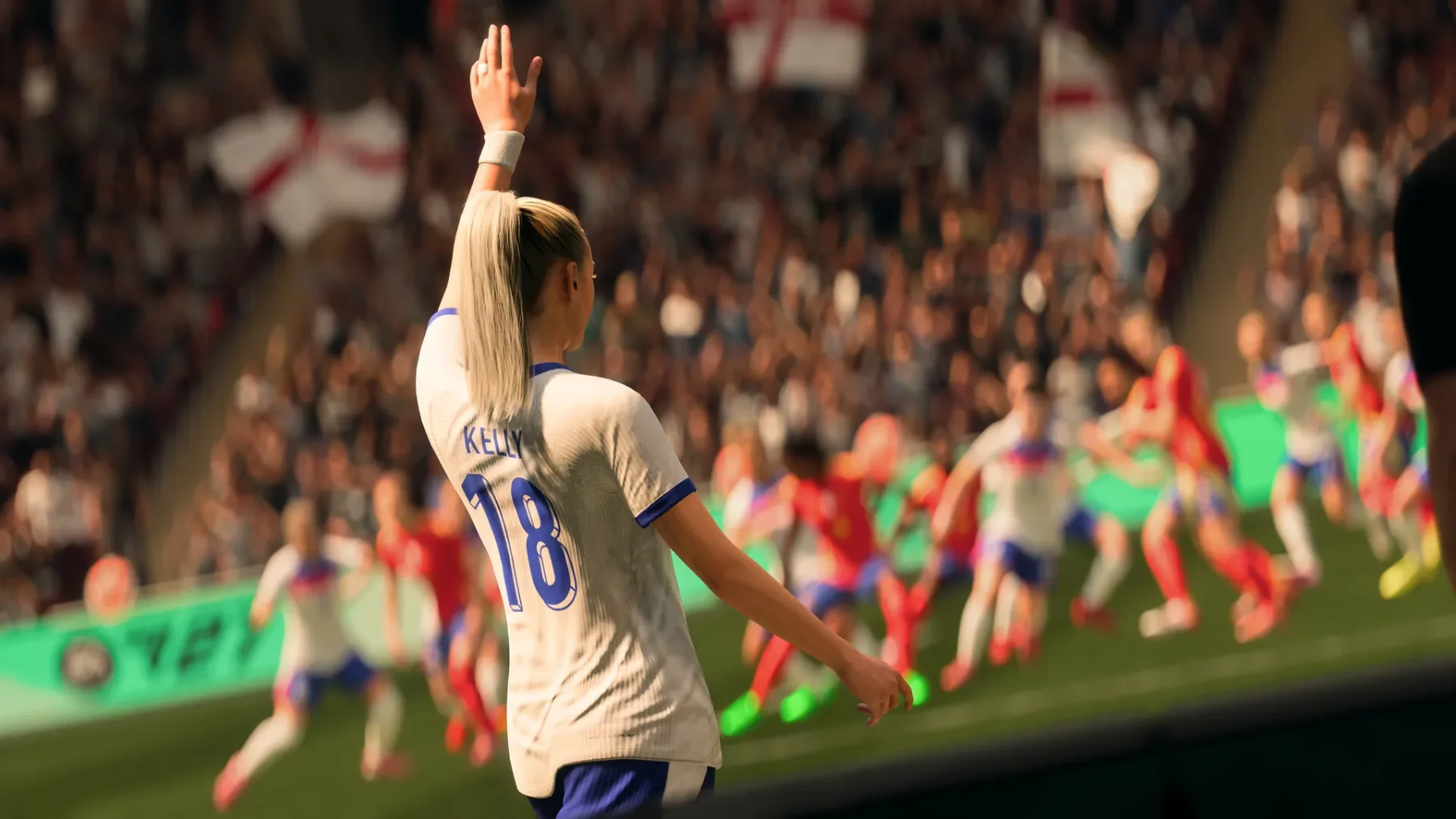
Official screenshot © Electronic Arts via Steam
First-launch checklist
Sign into the publisher account when asked.
Lower graphics first if near Steam minimum (RX 570 / GTX 1050 Ti).
Create a cloud-enabled save early.
Apply day-one updates before competitive modes.
Troubleshooting
Symptom | What to try first | Link |
|---|---|---|
Won’t launch on Steam | Verify integrity; update GPU drivers | |
Not enough disk space | Move library or free 100 GB | |
PS5 download stuck | Pause/resume; rebuild database last | |
Wrong region price | Confirm store country matches wallet | Official store country docs |
Storage and drive planning
100 GB is the Steam figure. Shader caches and launchers need headroom. Use Steam’s move-install flow rather than cutting folders in File Explorer. On a 512 GB laptop that already holds other live-service titles, free space or add an external NVMe before pre-loading.
Account linking details
Published by Electronic Arts. Expect a publisher account gate for multiplayer or cloud features. Enable 2FA. If the linker says the account already owns the game elsewhere, stop and verify the user. Household Steam sharing does not always grant publisher entitlement on a second PC.
Performance baseline
Minimum: Ryzen 5 1600 / Core i5-6600K · RX 570 / GTX 1050 Ti · 8 GB DDR4 dual-channel RAM. Recommended: Ryzen 7 2700X / Core i7-6700 · RX 5600 XT / GTX 1660 · 12 GB dual-channel RAM. Cap frames near 60 on 60 Hz panels. Plug in the charger for the first shader pass.
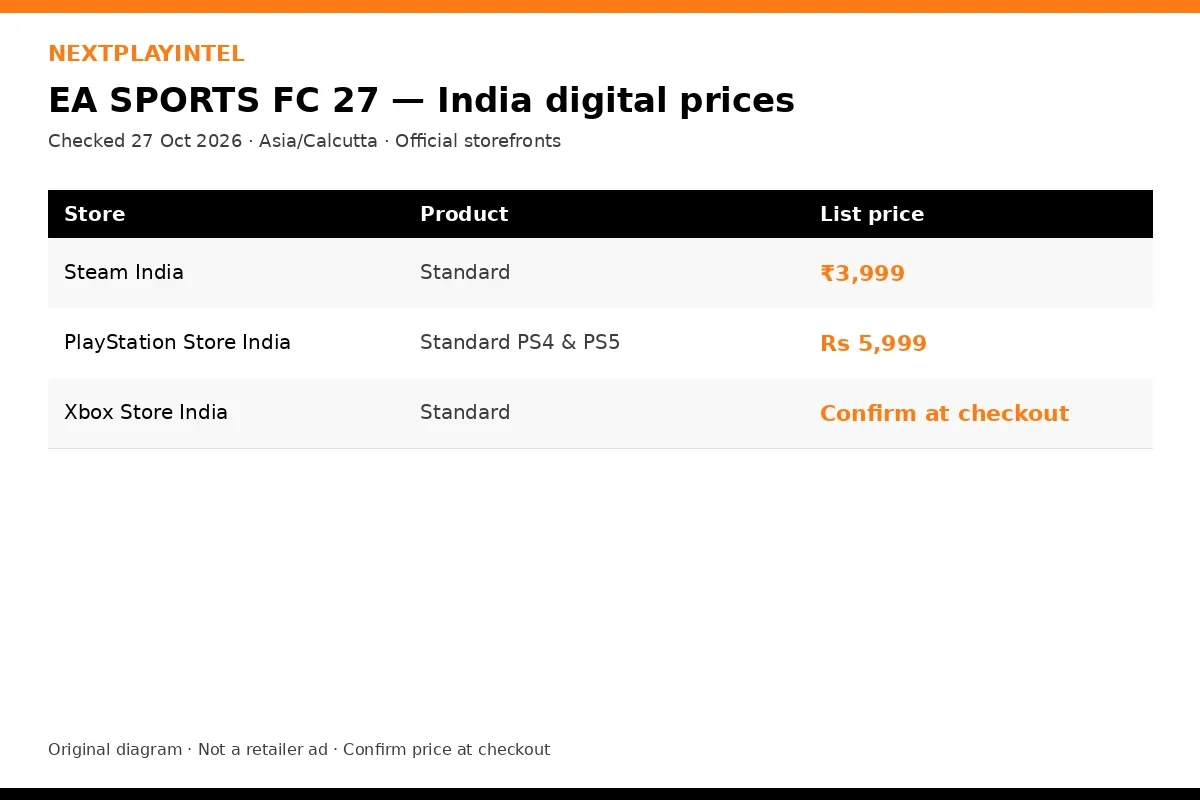
NextPlayIntel original price diagram · confirm at checkout
Network notes for India
Prefer Ethernet for large downloads. Pause Steam from the Downloads screen. Hostel firewalls may block publisher auth — hotspot to sign in, then return to broadband. ISP reshaping of international CDNs at night is common; morning downloads sometimes finish faster.
Pre-load and unlock etiquette
Pre-load when the store offers it, but do not leave a laptop lid half-closed on flaky Wi-Fi overnight without checking sleep settings. On PS5, enable rest-mode downloads. On Xbox, keep power options compatible with updates. At unlock, expect authentication queues; waiting ten minutes is normal for big launches and is not a broken install.
If Steam shows “starting in X minutes”, trust that timer over unofficial countdowns on social media. For Asia/Calcutta players, a “28 October” Steam date often lands early on 29 October local — another reason to read the in-client countdown.
Shared and family PCs
Use separate Windows users when siblings share hardware. Steam Family Sharing rules and publisher anti-cheat policies do not always align. Never share your primary email OTP channel with a shared household account. For consoles, learn the difference between setting a console as primary and simply lending a disc.
Graphics starter profile
On mid-range Indian PCs, start with the Medium preset at native resolution, disable motion blur, and cap FPS to your panel refresh rate. Raise textures one step if VRAM allows. If frame times spike in busy scenes, lower shadows and volumetric effects before touching view distance into muddy values that barely change the image. Laptop players should use Best Performance power mode on AC power for the first hour while shaders compile.
External monitors via HDMI often default to 60 Hz even when the panel supports more — check Windows display advanced settings after the first boot.
Controller and input
Steam Input, DualSense wireless, and Xbox Wireless all work for most modern titles, but publisher launchers sometimes steal focus on first run. Plug in USB for the first boot if wireless pairing fails. On consoles, create a spare common button layout before ranked modes so you are not remapping mid-match.
Day-one patch planning
Budget time beyond the base package size. Live-service and annual sports titles often ship a multi-gigabyte update on unlock morning. Start the patch before work or school if you want an evening session. Pause other Steam downloads so the patch is not competing with a second library install.
Refund window awareness
Steam’s refund rules depend on playtime and days since purchase. PlayStation and Xbox have their own windows. NextPlayIntel cannot process refunds. If the game fails to launch, collect screenshots of error codes and contact the store’s support before the window closes. Our troubleshooting table above is the first stop, not a guarantee of a refund.
Verify ownership before troubleshooting
Open the store library entry and confirm the license is on the account you are signed into. Many install-failed tickets are simply a second Steam user on a shared Windows profile. On consoles, confirm the purchase appears under Transaction History. Only after ownership is clear should you repair game files or rebuild a console database.
Keep a text note with the Steam AppID, the edition name, and the INR amount you paid. That note speeds up store support chats and helps NextPlayIntel correct a price table if a storefront changes overnight.
Anti-cheat and overlays
Close unknown overlays before first launch. Official GeForce Experience / AMD overlays are usually fine; random “FPS boost” injectors are not. If a publisher anti-cheat blocks boot, reboot once, run the store client as a normal user (not forced admin), and check the publisher status page before reinstalling the whole game.
After install
Read the EA SPORTS FC 27 game guide. Hub: /games/ea-sports-fc-27/. Check /news/ for separate news posts instead of duplicating them here.
Reinstall without losing saves
Confirm cloud sync and copy local saves before uninstall. See reinstall without losing saves.
What we omit on purpose
No cracked launchers, spoofed offline accounts, or paid install services. Official stores only.
Frequently asked questions
How big is the download?
Steam lists about 100 GB . Consoles may differ.
Can I pre-load in India?
The game is released on listed platforms; install from your library.
Steam price in INR?
₹3,999 as recorded 27 October 2026. Confirm at checkout.
Where is the buyer guide?
EA SPORTS FC 27 India buyer guide .
Sources & verification
Sources last verified on . This article covers published information, not hands-on testing.
Related devices and next steps
Find a fix by platform · Check GTA platforms and editions
- PlayStation 5 hardware guide
- Xbox Series X hardware guide
- Xbox Series S hardware guide
- ea-sports-fc-27 game hub
- EA SPORTS FC 27: platforms, India prices and trending buyer guide
- Install Call of Duty: Modern Warfare 4 on PC and consoles (India)
- Install Football Manager 27 on PC and consoles (India)
- Install Phantom Blade Zero on PC and consoles (India)