Nintendo · Released · First generation introduced 2004
Nintendo DS
Original dual-screen handheld with a touchscreen and GBA slot.
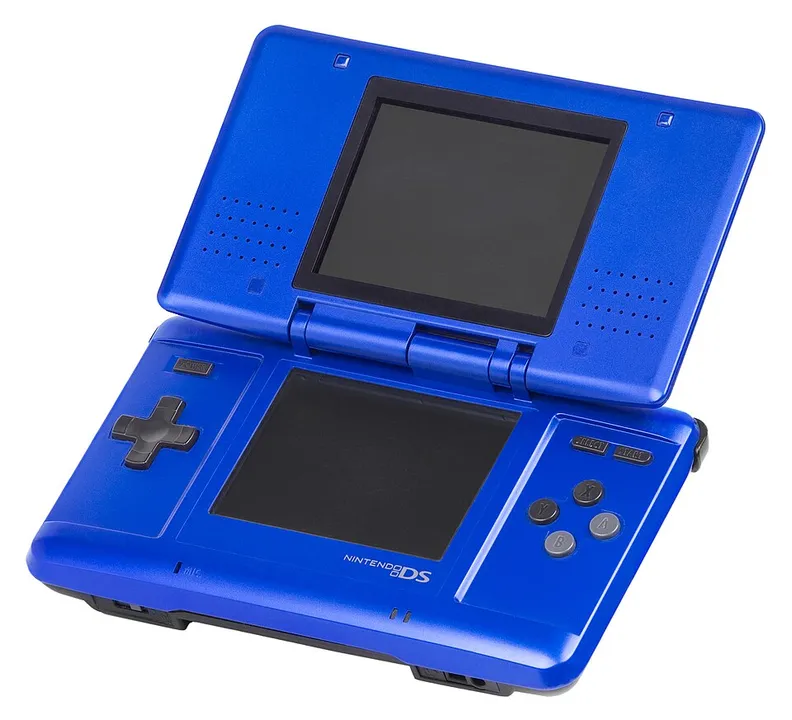
By Tulasiram Pemmadi · Research updated 25 October 2026 · Research guide, not a hands-on reviewNintendo DS hardware shown in the reference photograph. Nintendo-DS-Fat-Blue.jpg by Evan-Amos. Public domain. Resized and converted to WebP; no hardware features altered.
Hardware at a glance
Screens
Two; lower touchscreen
Media
DS cards and GBA cartridges
Inputs
Buttons, stylus and microphone
Family-level details. Check the exact model before assuming that a feature is shared across revisions.
Hardware and game library
DS introduced dual-screen play while retaining a Game Boy Advance cartridge slot. Touchscreen and microphone controls depend on the game. GBA support does not extend to original Game Boy or Game Boy Color cartridges. It is a separate software generation from Game Boy.
Choosing the right model
Inspect the hinge, both screens, touch alignment and both slots. A photograph of only the upper screen is insufficient. Check the supplied charger and stylus. A later DS-family accessory is not automatically compatible, and 3DS game cards cannot run on an original DS.
Model and edition registry
Selected documented models and editions. This registry does not yet include every regional SKU, promotional unit or limited edition.
Nintendo explicitly limits GBA compatibility on DS to single-player mode. This is a meaningful distinction from using a GBA with its link cable. A GTA Advance cartridge and a Chinatown Wars DS card use different slots and belong to different game platforms even though this handheld can accept both formats.
Model and package identifiers in manufacturer documentation
A hardware model number is different from a retailer SKU, barcode or serial number. These are the codes explicitly named in the linked manufacturer documents. The region identifies the documentation archive; it does not establish exclusive sale in that country.
Match the full label on the console and its box. A shared family number alone does not authenticate a special-edition shell, identify every bundle accessory or establish current repair eligibility.
GTA editions to check for this hardware
These links match the release-platform labels in our GTA catalogue. Open the game guide for its edition and sources. This is not a complete backwards-compatibility list or a guarantee of current store availability.
Images identify the pictured hardware; they are not evidence for every variant listed. Missing regional SKUs and undocumented editions remain outside this guide. Send a correction with a source.