Nintendo · Released · First generation introduced 2001
Nintendo GameCube
Compact optical-disc hardware with four controller ports.
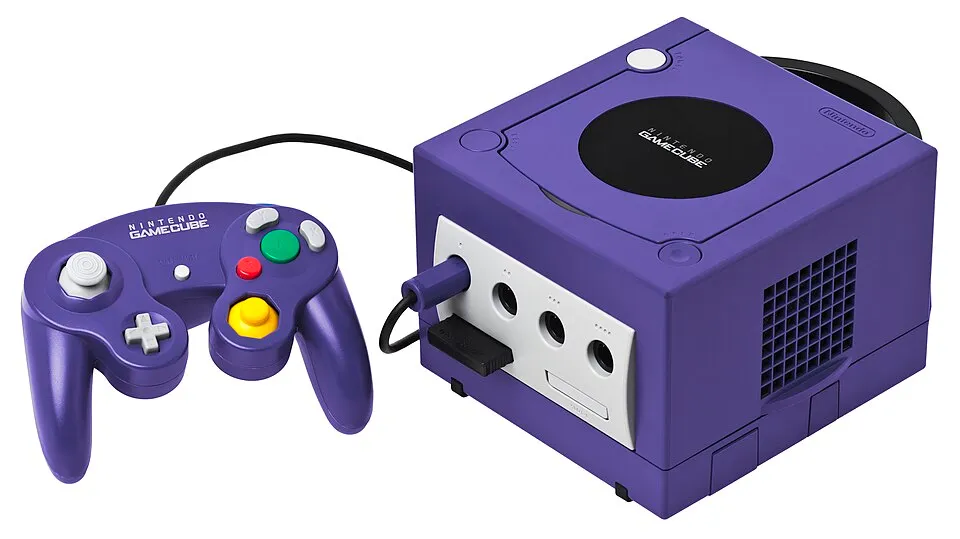
By Tulasiram Pemmadi · Research updated 25 October 2026 · Research guide, not a hands-on reviewNintendo GameCube hardware shown in the reference photograph. GameCube-Set.jpg by Evan-Amos. Public domain. Resized and converted to WebP; no hardware features altered.
Hardware at a glance
Media
8cm GameCube discs
CPU/GPU partners
IBM / ATI
Controllers
Four ports
Accessory
Game Boy Player
Family-level details. Check the exact model before assuming that a feature is shared across revisions.
Hardware and game library
GameCube uses small optical discs and a controller with two analogue sticks. Selected games connect to Game Boy Advance through a dedicated cable. That connection depends on the games; it is not a universal way to run GBA software on GameCube.
Choosing the right model
Check the rear ports before buying a digital-video adapter: revisions differ. A Game Boy Player listing should identify whether the required startup disc is included. Test disc reading, memory-card slots and analogue controls. Colour alone does not establish the region or port configuration.
Model and edition registry
Selected documented models and editions. This registry does not yet include every regional SKU, promotional unit or limited edition.
Nintendo distinguishes connecting a GBA to a compatible GameCube game from playing Game Boy software through other hardware. The broadband accessory was also separate. Historical examples of online play describe launch-era functions, not a promise that the original online services still operate.
This hardware record does not yet have a verified GTA compatibility entry. Check the GTA release-platform catalogue before buying it for a particular game. Do not assume support through emulation, streaming or backwards compatibility.
Images identify the pictured hardware; they are not evidence for every variant listed. Missing regional SKUs and undocumented editions remain outside this guide. Send a correction with a source.