

PC launcher error code
Steam Disk Write Error: Fix Downloads and Updates
Try this first: Paradox says to close the game that fails to update. Close other programs that have its files open, then restart Steam; restarting the PC is another listed option. Retry the same download or update so you can see whether the file lock was temporary.
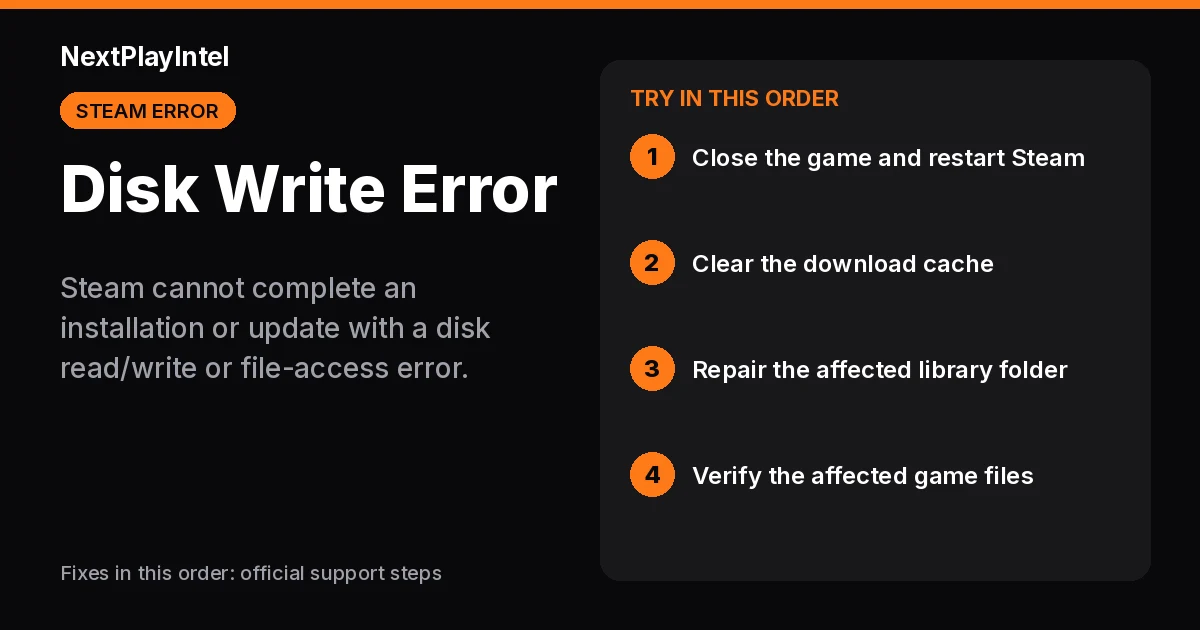
What Disk Write Error means
Paradox Interactive says: “Steam cannot complete an installation or update with a disk read/write or file-access error.” (official page)
Start a Steam disk write error with the file-access checks, not a drive format. Paradox’s official support page groups disk read/write errors with “content file locked” and identifies files held open by a game, another program, or antivirus scanning as possible causes. That is a useful starting point, not proof that every disk write error has the same cause.
Match what you see
Where Disk Write Error appears tells you where to start. Find the row closest to your situation, then jump to that step.
| What you see | Most likely cause | Start at |
|---|---|---|
| An update fails with a disk write error | The game or another program still has its files open | Step 1 on this page |
| Every download in one library fails | Download cache or library folder problem | Steps 2–3 on this page |
| One game keeps failing after a restart | Damaged or locked game files | Steps 4–5 on this page |
| Each retry fails on a different file in steamapps\downloads | Security software scanning or locking files as Steam writes them (owner-reported) | Step 5: add a Steam folder exclusion rather than turning protection off |
Likely causes
- Game files held open by the game itself or another program while Steam updates (Paradox support).
- Security software scanning or locking files during install or update.
- A damaged download cache or library folder.
How to fix Disk Write Error, easiest first
- Close the game and restart Steam
Paradox says to close the game that fails to update. Close other programs that have its files open, then restart Steam; restarting the PC is another listed option. Retry the same download or update so you can see whether the file lock was temporary. - Clear the download cache
Enhance’s official PC support guide includes clearing Steam’s Download Cache for Steam issues. Use Steam’s Downloads settings to find the cache control. Retry the affected installation rather than changing several settings at once; that makes the result easier to describe if you need support. - Repair the affected library folder
Enhance explains that Steam’s game-library folders must be writable and that permissions can need refreshing. Its published path is Steam > Settings > Downloads > Steam Library Folders, then right-click the folder and choose Repair Library Folder. This article is older and menu placement may differ in your client. Use the library repair option where available; do not grant broad permissions to unrelated folders to force the old path to match. - Verify the affected game files
Enhance also lists verifying game-file integrity in its Steam checklist. Apply this to the affected installed game. A verification check is not a diagnosis of a failing SSD; it is the publisher-supported next check for the installed files. - Check security-software interference carefully
Paradox identifies real-time scanning or quarantine as another possible source of file locks. Review your security software’s alerts and use its official guidance if a false positive is suspected. Paradox lists excluding the game or Steam folder and temporarily shutting down antivirus as possible tests. Do not leave protection disabled or create broad permanent exclusions. If a controlled test changes the result, restore protection and ask the security vendor how to resolve the conflict safely.
| Step | What to do | Source |
|---|---|---|
| 1 | Close the game and restart Steam | Official |
| 2 | Clear the download cache | Official |
| 3 | Repair the affected library folder | Official |
| 4 | Verify the affected game files | Official |
| 5 | Check security-software interference carefully | Official |
Fixes owners report
From public threads we read. These are individual reports, not official advice, and NextPlayIntel did not test them.
- In December 2016, an owner whose updates kept failing on different DLL files in steamapps\downloads fixed it by turning off the antivirus during installs. They then recommended adding the Steam folder, or just steamapps\downloads, to the antivirus exclusions instead. (r/Steam, December 2016)
- In March 2017, Steam told one owner the install was blocked by an application and showed the antivirus path. Disabling that antivirus let two stuck updates finish. (r/Steam, March 2017)
- In a 2024 thread about one game, one owner fixed it by running Steam as administrator. Another found the antivirus had quarantined a game file, so they added an exception and updated again. A reply suggests searching Steam\logs\content_log.txt for "failed to write" to find the exact file path. (r/steamsupport, 2024)
When to contact support
If the same error returns after those checks, contact Steam Support or the affected game’s official support team. Include the full error text, game, library location and whether multiple games are affected. For Tetris Effect: Connected, Enhance specifically asks ticket submitters to state whether they are launching VR or desktop mode. Do not extend that game-specific requirement to every Steam title.
Disk Write Error FAQ
Does a disk write error prove my drive is broken?
No. Paradox’s support page lists locked files and antivirus interference among possible causes. The message alone does not establish a hardware fault.
Why close the game before updating?
Paradox says a file Steam needs can be locked when the game is running or another program has its files open.
Is Content File Locked the same message?
It is a different message, but Paradox covers it alongside disk read/write errors because file-access conflicts can cause both.
Should I format the drive?
The official publisher checklists used here start with closing the game, restarting, cache, library and file checks. Formatting is not part of this guide’s fix order.
Which file is Steam failing to write?
Steam's content log records it. Owners suggest searching Steam\logs\content_log.txt for "failed to write"; the path shows whether the problem is one game file, the downloads folder or a whole library drive.
Sources
Related codes and how they differ
- No Steam Logon: A different Steam login/VAC error, with official Steam connection steps.
- PC launcher hub: Launcher errors from Steam, Epic and other stores.
PC launcher troubleshooting guide · All PC launcher codes · Error code directory