IN BRIEF
Rockstar released a new Grand Theft Auto VI update on 23 Nov 2026 for PS5 and Xbox Series X|S, announced by Rockstar Support at 8:12 PM IST. The official notes list fixes for crashes, autosaving, weather not changing, phone calls that progress the story, losing a Wanted Level, the gym deadlift bar and partners handing over bags.
Key facts
Item | Detail |
|---|---|
What | New Grand Theft Auto VI update |
Announced | 23 Nov 2026, 8:12 PM IST (Rockstar Support on X) |
Platforms | PS5 and Xbox Series X\ |
Patch notes date | 23 Nov 2026, category General / Miscellaneous |
Number of listed fixes | 7 |
Version number | Not listed in Rockstar's notes |
Download size | Not listed in Rockstar's notes |
Official notes page | Rockstar Games Support: Grand Theft Auto VI Launch Updates |
What Rockstar announced
Rockstar Support posted on X on 23 Nov 2026 at 8:12 PM IST: "A new update is now available for Grand Theft Auto VI on PS5 and XBOX Series X|S." The post links to a Rockstar Games Support page titled "Grand Theft Auto VI Launch Updates (PS5 / XBOX Series X|S)", last updated 23 Nov 2026.
The notes sit under one heading, General / Miscellaneous, and every item is a fix. Rockstar doesn't list new content, new features or balance changes in this update.
GTA 6 update patch notes: every fix
Area | Rockstar's fix | What it means for players |
|---|---|---|
Stability | Fixed several issues that caused the game to crash | Rockstar says it fixed several crash causes. It doesn't say which crashes or where they happened. |
Saving | Fixed an issue that resulted in the game not autosaving correctly | Autosaves should now work as intended. If you rely on autosaves, check your save after updating. |
Story and missions | Fixed several issues that resulted in phone calls not triggering correctly, including those that progressed the story or unlocked mission content | This is the fix to watch if a story or mission call never arrived and your progress stalled. |
Story and missions | Fixed an issue that resulted in partners not handing over bags so that players could sell them to fences | Partners should now hand over bags, so you can sell them to fences. |
Police | Fixed an issue that resulted in players being unable to lose their Wanted Level | Rockstar says it fixed a case where you couldn't shake a Wanted Level. |
World | Fixed an issue that resulted in the weather not changing for extended periods | Weather should now change instead of staying the same for long stretches. |
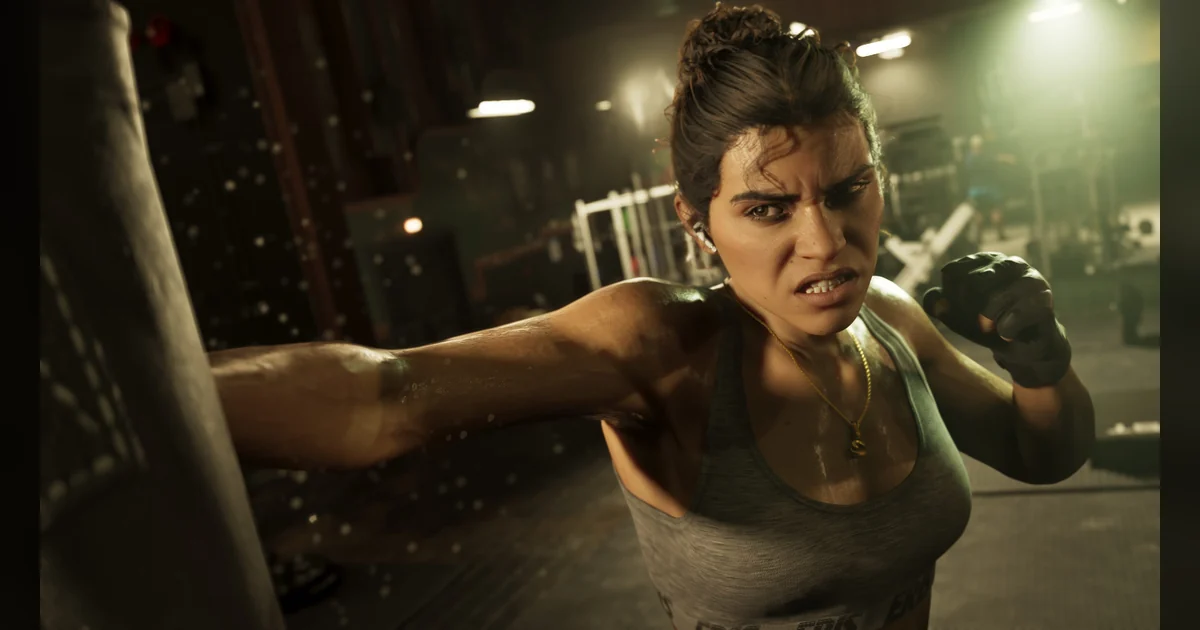
Activities | Fixed an issue that resulted in the player being unable to use the deadlift bar in the Gym | The gym deadlift bar should now be usable. |
The notes don't give more detail on any fix.
How to get the GTA 6 update on PS5
PlayStation Support says a game updates to the newest available version when you start it. To check by hand:
On the PS5 home screen, highlight Grand Theft Auto VI and press the Options button.
Select Check for Update.
If an update is available, follow the on-screen instructions to install it.
If an update won't install, PlayStation Support suggests testing your internet connection, restarting the console and making sure your PS5 system software is up to date. The update needs free storage; our GTA VI file size and storage guide explains how much space GTA VI takes.
How to get the GTA 6 update on Xbox Series X|S
Xbox Support says games install updates automatically on your home Xbox when the power mode is set to Sleep and Keep my games & apps up to date is turned on. To check those settings, press the Xbox button to open the guide, then:
Go to Profile & system > Settings > General > Power options to set your power mode.
Go to Profile & system > Settings > System > Updates to check your update settings.
If GTA VI won't launch at all after updating, see our GTA 6 locked or won't start fixes, which covers both PS5 and Xbox.
If your save or mission was stuck
Rockstar's notes say some phone calls that progressed the story or unlocked mission content weren't triggering correctly. If a mission call never arrived, a partner didn't hand over a bag, or you couldn't lose a Wanted Level, install the update first, then reload your latest save and try again.
Rockstar's notes don't say whether a save that was already affected will recover on its own, so we can't promise a result. If a problem continues on the updated game, Rockstar Support is the official place to report it.
Related GTA VI help
After updating, it's worth rechecking your options in our GTA 6 settings guide. If voices drift out of sync with the picture, our GTA 6 audio out of sync fix covers the official steps. The GTA VI hub collects the basics, and our gaming news page has other launch-week stories.
Frequently asked questions
What are the GTA 6 update patch notes?
Rockstar's 23 Nov 2026 notes list fixes for several crashes, weather not changing for long periods, autosaves not working correctly, phone calls not triggering (including story and mission calls), being unable to lose a Wanted Level, the gym deadlift bar, and partners not handing over bags to sell to fences.
Is there a GTA 6 update today?
Yes. Rockstar Support posted on 23 Nov 2026 at 8:12 PM IST that a new Grand Theft Auto VI update is now available on PS5 and Xbox Series X|S.
Is the GTA 6 update 1.002.002?
Rockstar hasn't confirmed that. Its official patch notes don't list a version number or a download size, so treat any version number or size you see elsewhere as unconfirmed.
Is the new GTA 6 update on PS5 and Xbox?
Yes. Rockstar's notes page is titled Grand Theft Auto VI Launch Updates (PS5 / XBOX Series X|S), and the 23 Nov 2026 update is for both PS5 and Xbox Series X|S.
When's the next GTA 6 update?
Rockstar hasn't announced a date for the next update. Its Launch Updates support page is where the 23 Nov 2026 notes appeared, so that's the page to check for future patch notes.
Sources & verification
Sources last verified on . This article covers published information, not hands-on testing.